

Why a dedicated cabinet with a charging hub can transform your workspace
In many home offices, cables, devices, and documents pile up on the desk, stealing focus and productivity. A well-designed cabinet that combines storage with charging power can centralize equipment and simplify daily routines.
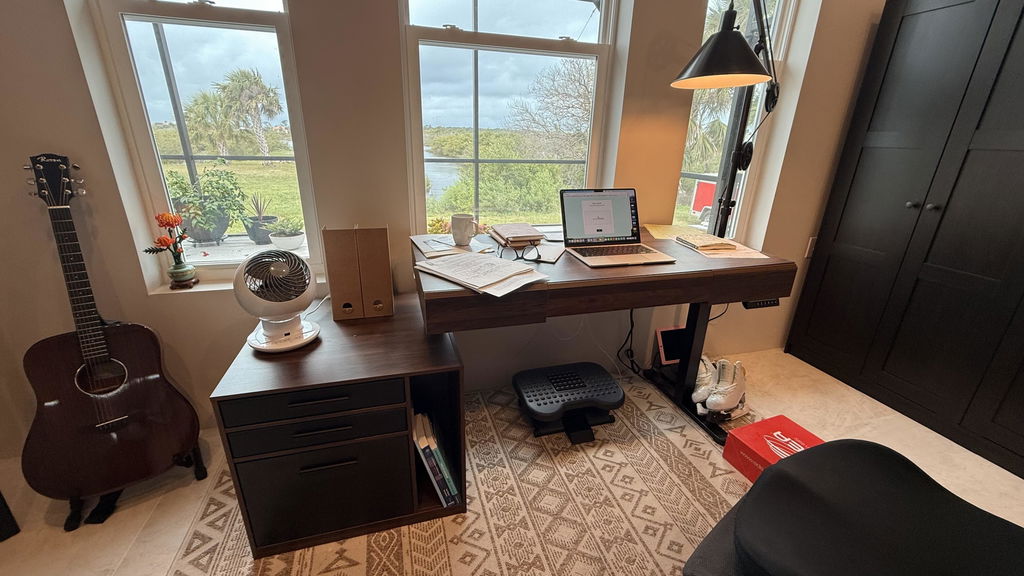
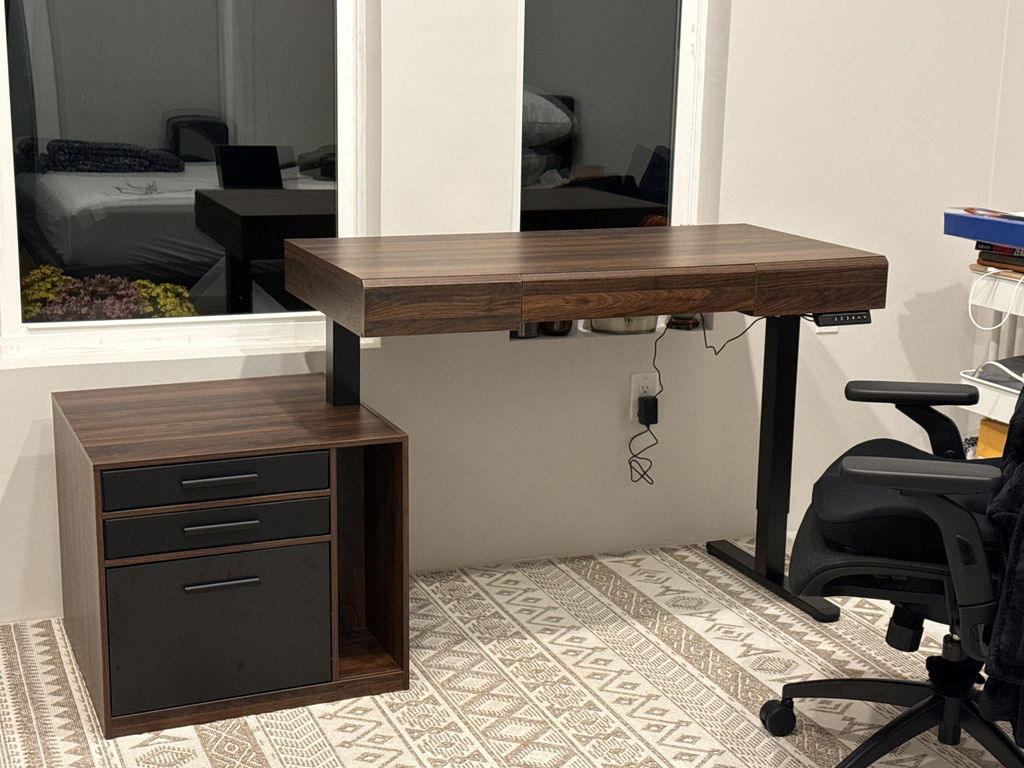
The Premium Aura Cabinet exemplifies this hybrid approach with a built-in charging hub, a pull-out printer shelf, and organized file drawers.
Key considerations when choosing an office storage cabinet
Power and charging capabilities
Look for a cabinet that provides a reliable charging hub, including multiple outlets and USB ports,
so devices can charge without tangling cables behind or under your desk. The Premium Aura Cabinet features 2 AC outlets plus USB-C and USB-A (5V/2A) built into a single unit, with a 4.9 ft cord for flexible placement.
Storage configuration that fits your workflow
- Pull-out printer/photocopier shelf with smooth slides and a 33 lb max load for easy access.
- Dual file drawers sized to fit A4 and Letter hanging files for fast document organization.
- Open cubbies and a handy accessory drawer for daily essentials.
Durability and build quality
Top thickness, drawer slides, and materials influence long-term performance. The Premium Aura Cabinet has a 1.18" thick top panel and durable
bottom-track slides for quiet, reliable operation, along with metal handles and a refined fluted facade that lends a premium feel to any office space.
Cable management and clean setup
Effective cable management reduces visual clutter and enhances safety. A built-in cable pass-through or rear grommet helps route power cords neatly, minimizing wear and allowing printers and computers to live on a single surface.
How the Premium Aura Cabinet aligns with real-world office needs
Consider typical workdays: printing, scanning, note-taking, and filing. A cabinet that consolidates these tasks reduces deskside clutter and keeps essential devices within reach. The 31.5"W x 19.5"D footprint is compact enough for many home offices, while its 29.2" height provides ample surface area on top for monitors or other gear.
Printer integration with a dedicated shelf
The pull-out shelf is designed for easy access, with smooth slides that glide open and closed. It’s rated to support up to 33 pounds, which covers most small to mid-size printers and related accessories. This feature helps you tuck the printer away when not in use, yet bring it forward when needed without reaching behind furniture.
Document organization with dual file drawers
Files stay orderly with two wooden file drawers that accommodate standard hanging folders. When you pair this with open cubbies and a small drawer for supplies, you create a workflow that reduces search time and keeps important documents visible and accessible.
Practical placement and setup tips
Before you buy, map your space. Measure the intended location, including clearance for opening drawers and the pull-out shelf. Consider electrical access, cable routing, and how you’ll balance the cabinet with your existing desk and seating. A cabinet like the Premium Aura can sit beside a standing desk or against a wall, providing easy reach for printers and files without crowding your work surface.
Once installed, label drawers or use color-coded folders to speed up routine tasks. Periodically purge outdated documents and reorganize your system to reflect changing workflows. With a thoughtful setup, the cabinet becomes a central hub rather than a tangled obstacle.
Maintenance, safety, and long-term care
Regular maintenance preserves the cabinet’s finish and functionality. Wipe down surfaces with a mild cleaner and dry immediately to prevent moisture damage. Inspect drawer slides and hardware for loose screws and tighten as needed. Keep cords routed through the built-in pass-through to minimize wear on cables and connectors. If you move offices or reconfigure your workspace, the cabinet’s sturdy construction helps maintain organization under changing conditions.
Choosing the right cabinet for your needs: a quick decision guide
- Assess your devices: printers, scanners, laptops, and charging needs. Determine the number of outlets and USB ports required.
- Evaluate storage needs: how many files, folders, and accessories must be stored, and whether you need open cubbies for daily items.
- Check dimensions and weight: ensure the unit fits your space and can support the items you place on top or on the pull-out shelf.
- Consider aesthetics and durability: a premium finish with metal handles and sturdy construction can influence both satisfaction and resale value.
In spaces where organization directly impacts productivity, a cabinet that combines charging, storage, and document management can be a game changer. The Premium Aura Cabinet brings together these features in a compact footprint, designed to integrate with common home office setups while maintaining a clean, modern look.
For readers ready to upgrade their workspace, consider how a cabinet like the Premium Aura Cabinet can consolidate devices, documents, and power for a cleaner desk.
Conclusion: turning a chaotic desk into a streamlined workflow
When planning a home office that supports focus, productivity, and longevity, choosing the right storage cabinet is as important as selecting a desk or chair. A unit that blends charging capability, durable construction, and smart organization can dramatically reduce daily friction. The Premium Aura Cabinet demonstrates how thoughtful design translates into practical benefits: fewer cables, more organized folders, and a stable, accessible surface for printers and devices. By assessing your space, equipment, and workflow, you can decide whether a cabinet like this fits your needs—and when you’re ready, you’ll be able to bring a cohesive, efficient system to your home office with confidence.


Share:
Maximizing Focus and Efficiency with the 63\" MCM Cairo Pro Standing Desk: An Ergonomic Home Office Guide
Maximize Desk Space and Comfort: A Practical Guide to Choosing and Using the WSS1 Single Monitor Wall Mount